The back seat, finally worth looking at.
One screen behind the front seat — 10 to 13 inches, sized to the car — with a live map for the ride and an entertainment shelf for the passengers.
Built for the car it rides in.
The hardware is identical. The software knows whether it's working a fare or minding the kids.
For rideshare & taxi
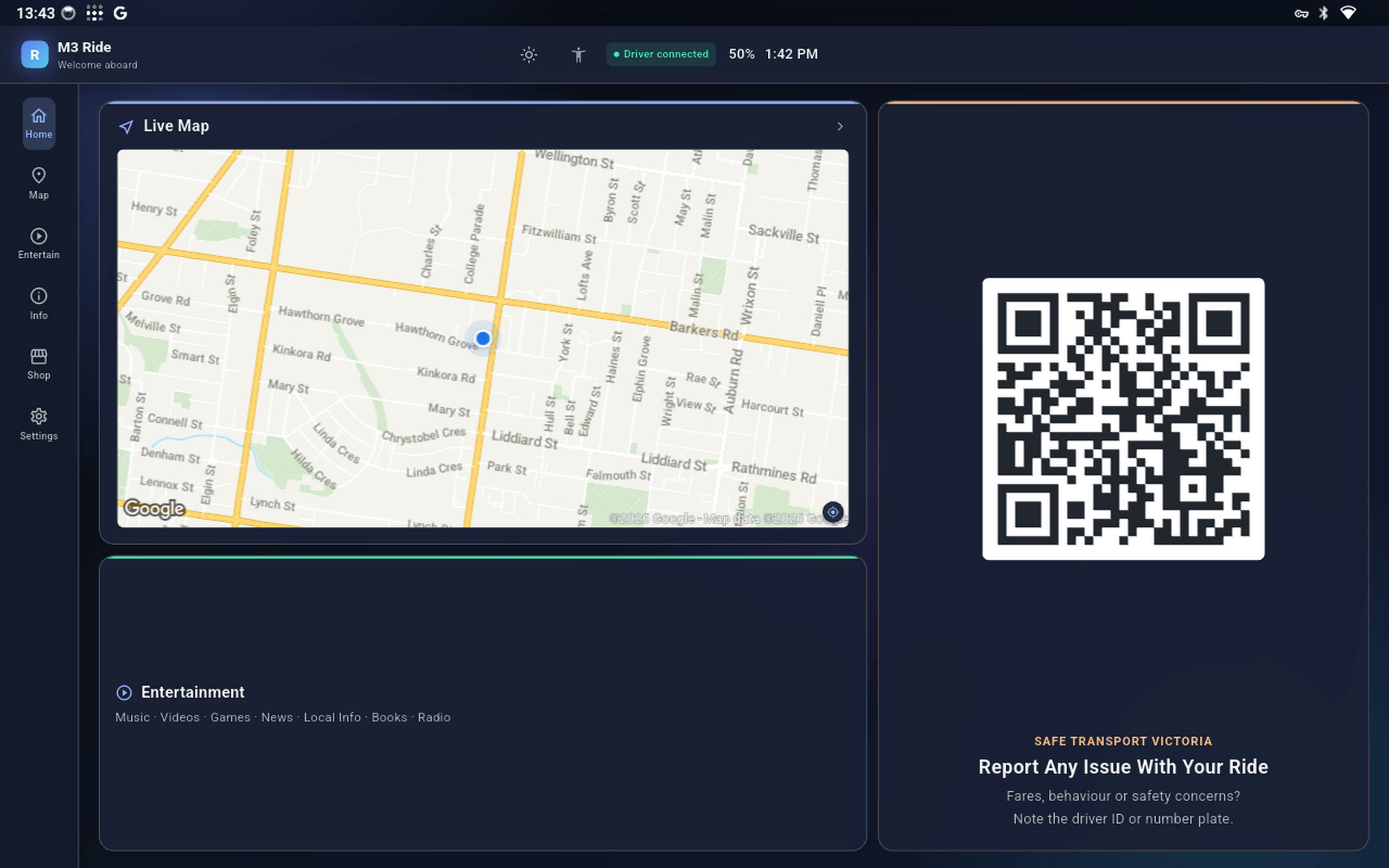
The driver pairs their phone with a QR code — no app to install. The passenger gets the map and a place to look while the meter runs.
- Live map, turn-by-turn and ETA, mirrored from the driver's phone
- Passenger entertainment — music, video, games, books, radio, news
- CPVV / Safe Transport Victoria "report a concern" QR on every screen
- In-car shop — sell water and snacks, paid on the screen
- Operator portal — activate units, push updates, lock a lost screen
For your own car
Same screen, entertainment only. You set the rules from your phone; the kids get a screen that behaves like you'd want it to.
- A clean home screen — search, voice, big category tiles
- Music, video, games, books, radio — no ads, no rabbit holes
- Daily screen-time limit and a bedtime window you control
- Switch off any category; grant "a few more minutes" remotely
- Two screens for two kids — one leads, the other mirrors it
CPVV reporting, built in
Every M3 Ride screen carries the Commercial Passenger Vehicles Victoria "report a concern" code for the whole trip — no driver action, nothing to enable. A passenger can flag a fare, behaviour or safety issue straight to the regulator, and it's on screen before they think to look.
A tour of the screens.
Every shot below is straight off a running unit — M3 Ride and M3 Family both. Only the phone-side parent-controls screen is a preview.
The map is the point
A live map mirrored from the driver's phone, the next turn up top, and the Safe Transport "report a concern" code always in reach — framed the way a passenger actually wants it.
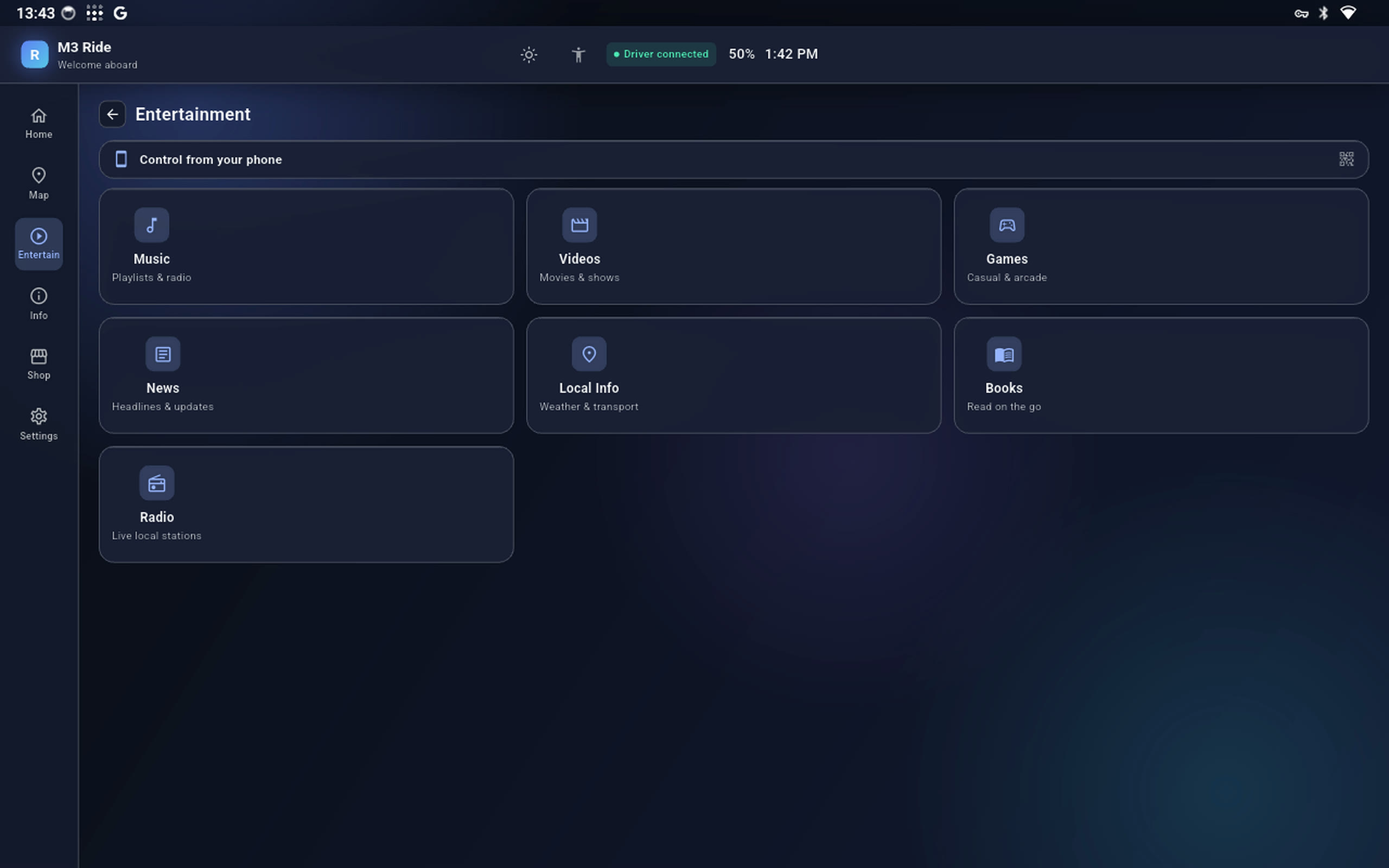
Something for every kind of passenger
Music, videos, a shelf of quick games, books, live radio, local news and what's-on — and a code to drive it all from a phone. No login, no setup.
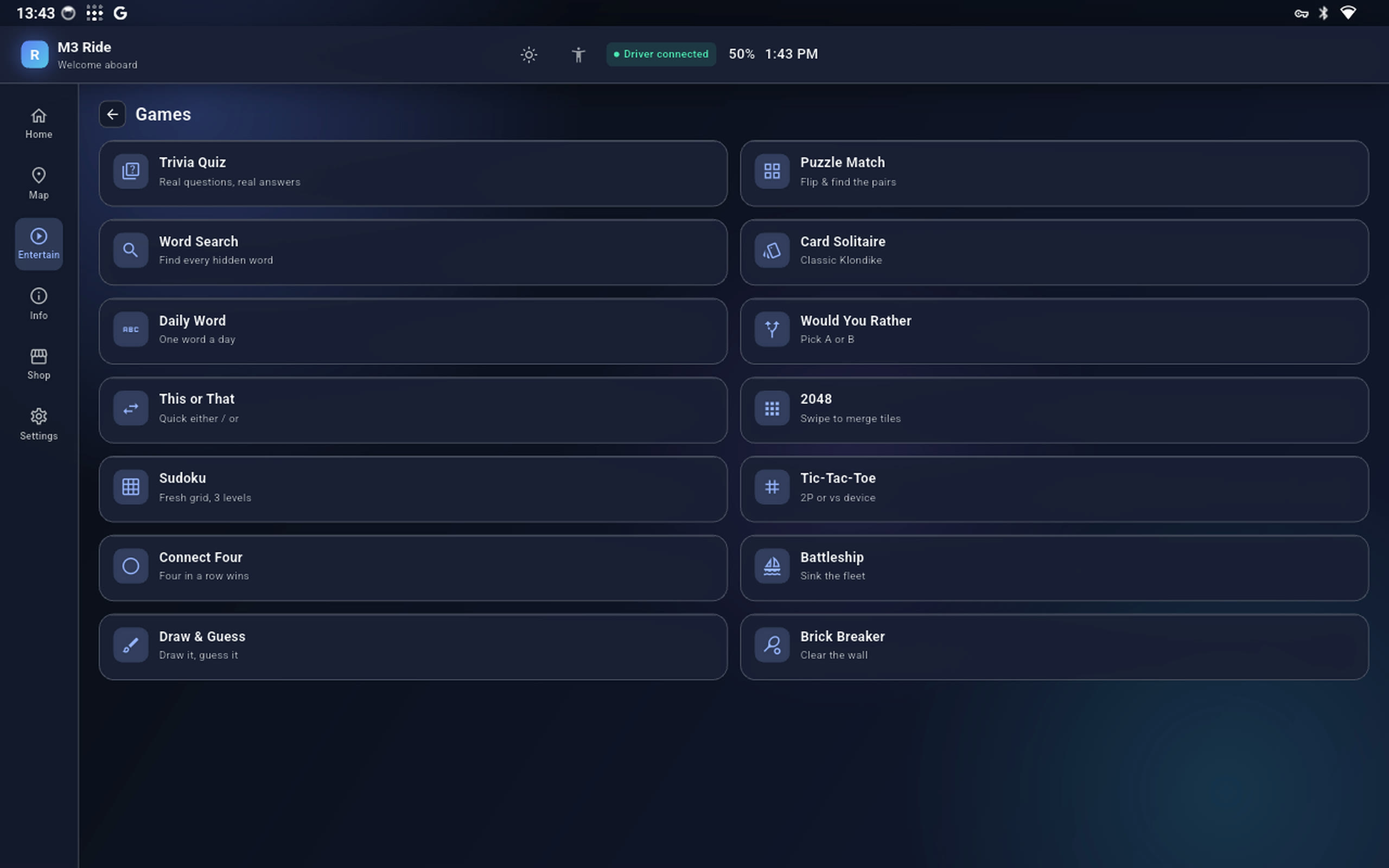
Fourteen games, nothing to install
Trivia, word search, 2048, sudoku, solitaire, Connect Four, Battleship, a quick draw-and-guess — a couple are two-player on the one screen.
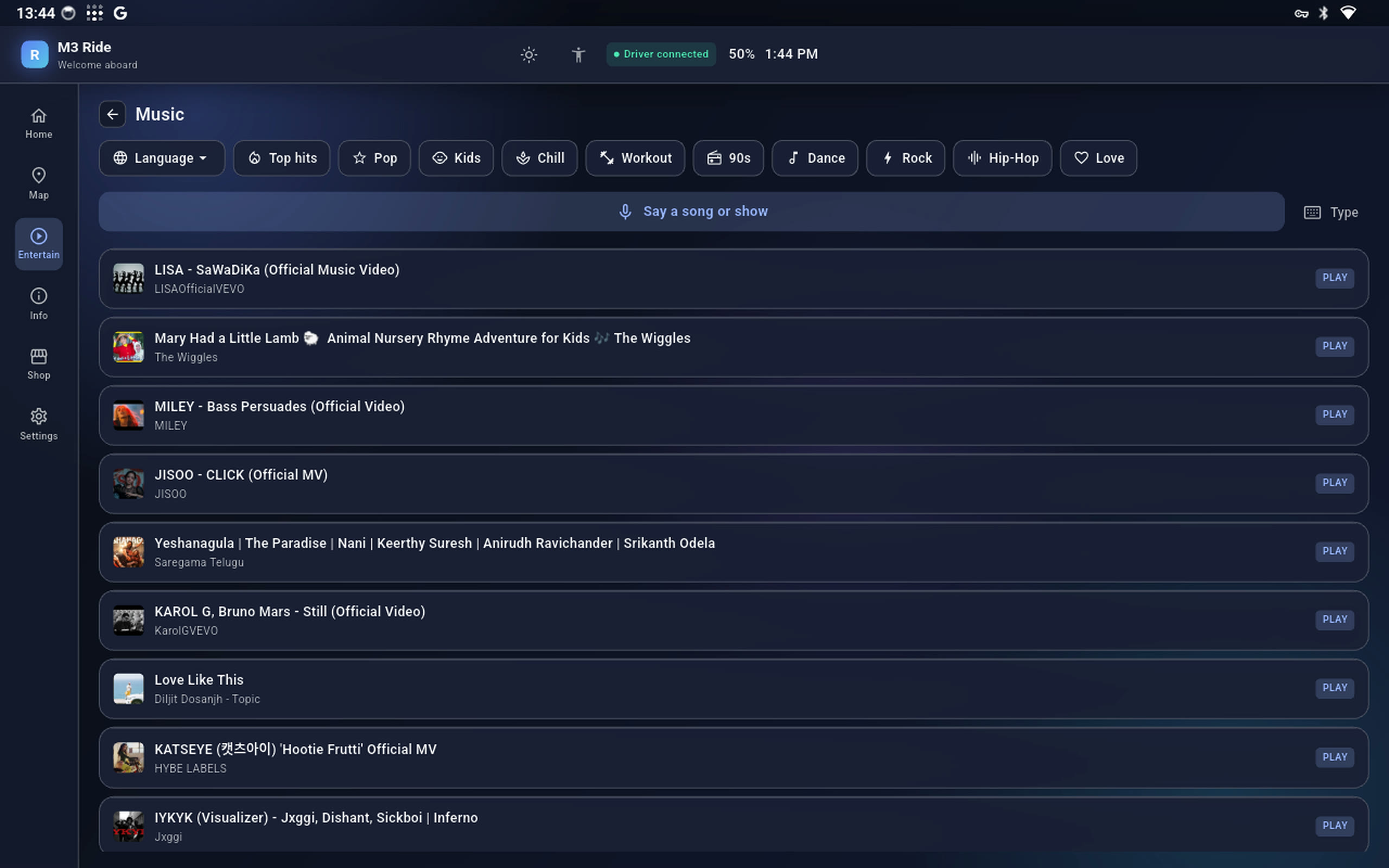
Say what you want to hear
Genre chips, a language filter, and voice search built for a moving car — because typing a song name on a seat-back screen at 60 is nobody's idea of fun.
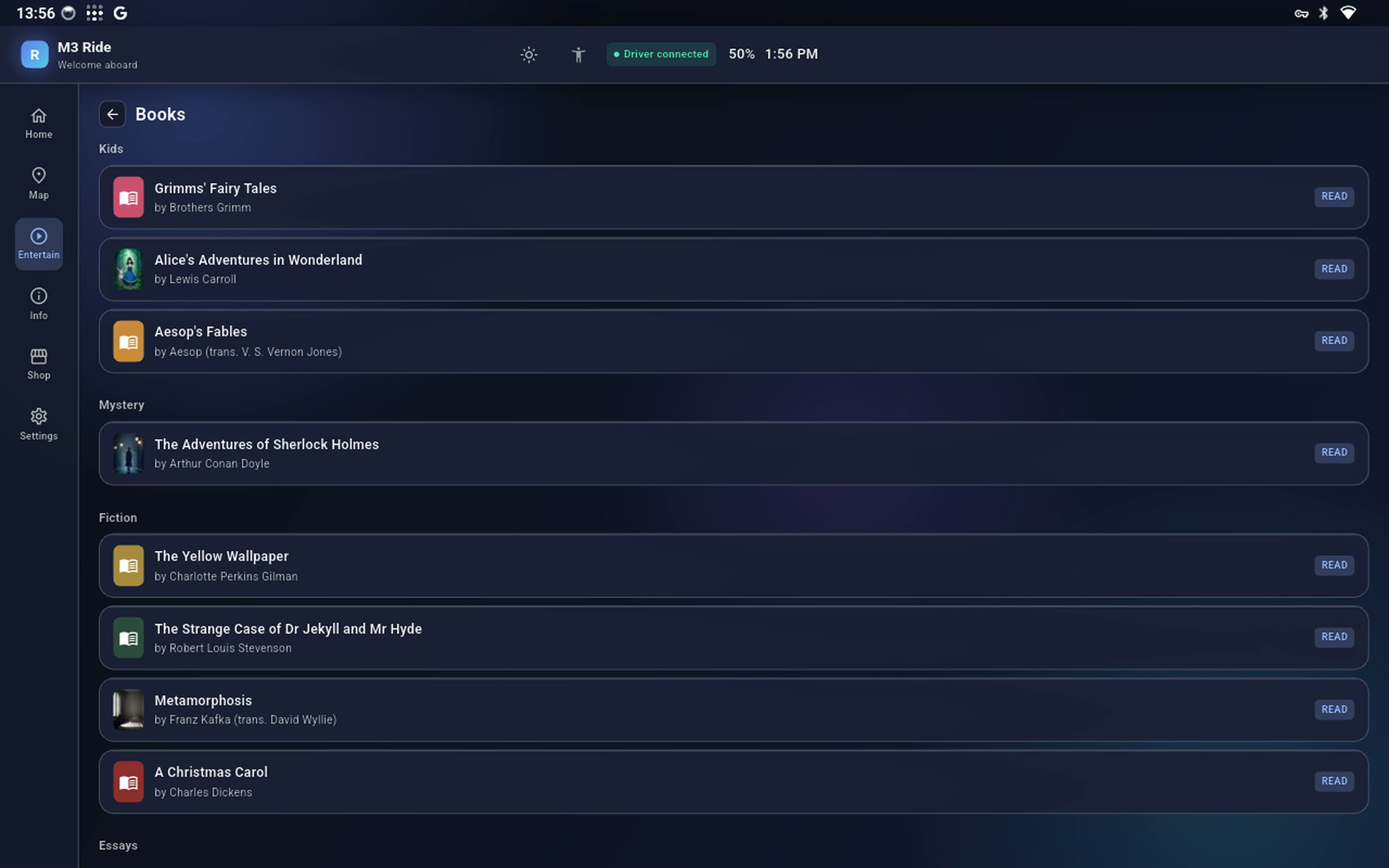
A small library, sorted for kids
Grouped by shelf — Kids, Mystery, Fiction — with real covers and a read-along option. Alice, Aesop, Grimms', Sherlock: all on board, all offline.
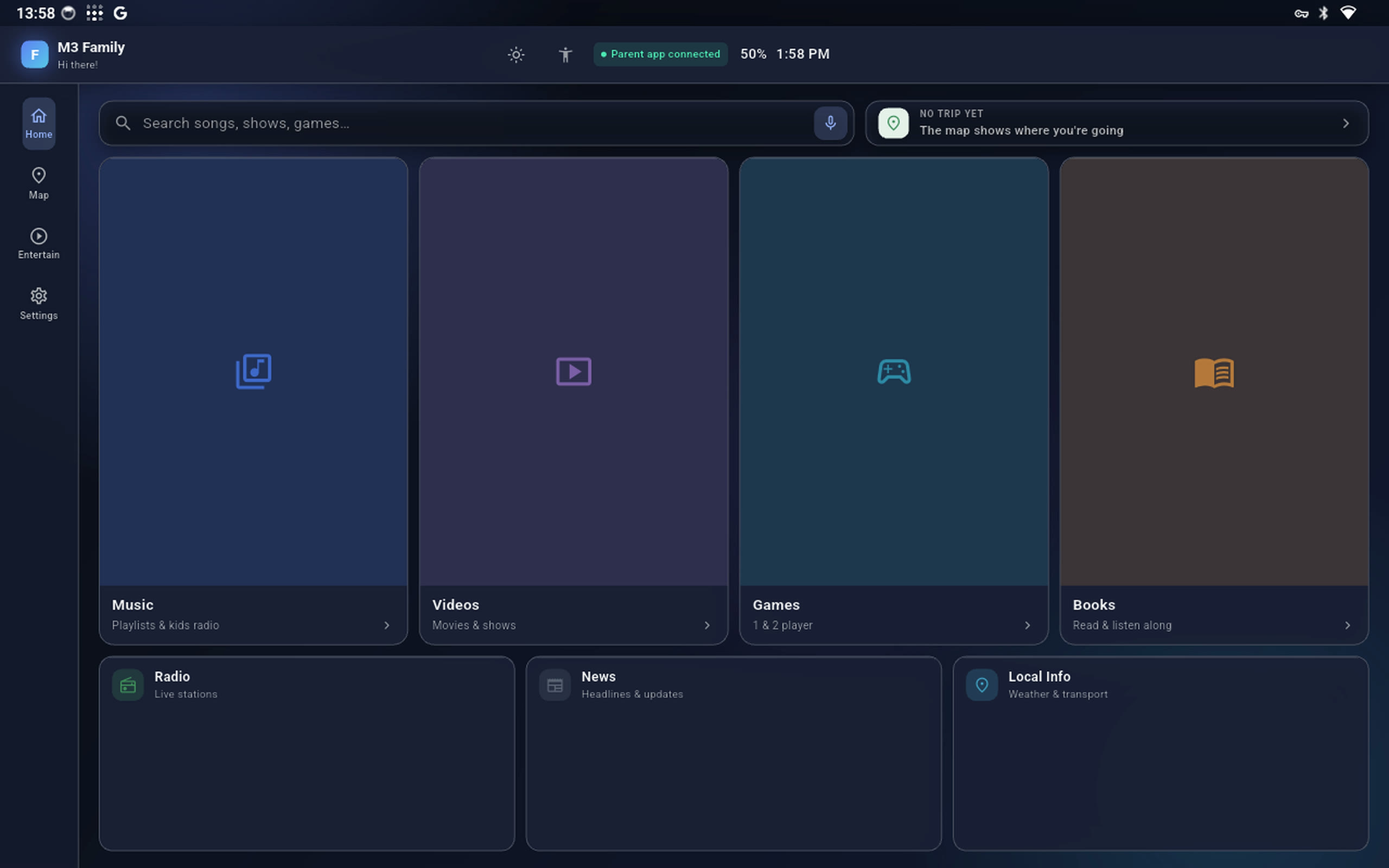
A screen that starts calm
No feed, no autoplay wall — just search or voice and four clear lanes, with the trip on a strip up top. When a parent switches a category off, its tile greys out and locks.
You hold the dial
From your phone: a daily limit, a bedtime window, a switch for every category. When time's up the screen locks — and one tap from you gives fifteen minutes more.
One unit. Both jobs.
- 10–13″
- Pick the panel size that suits the vehicle
- Android 14
- Locked to a single kiosk app
- Seat-back
- Mounts behind the front headrest
- Over-the-air
- Updates itself, no visit needed
- Offline-first
- Map and games work with no SIM
- Auto-dim
- Bright by day, dark by night
Fitted in an afternoon.
Mount it
The bracket clamps to the front headrest posts. Power from a USB line in the seat or the 12V socket.
Pair or set up
M3 Ride: the driver scans the code. M3 Family: sign in the parent app once and choose your limits.
Drive
It wakes with the car, reconnects on its own, and updates overnight. Nothing to think about again.
Get on the list.
Tell us the car it's going in and how many screens you need. We'll come back with pricing and a fitting date — no payment now.